
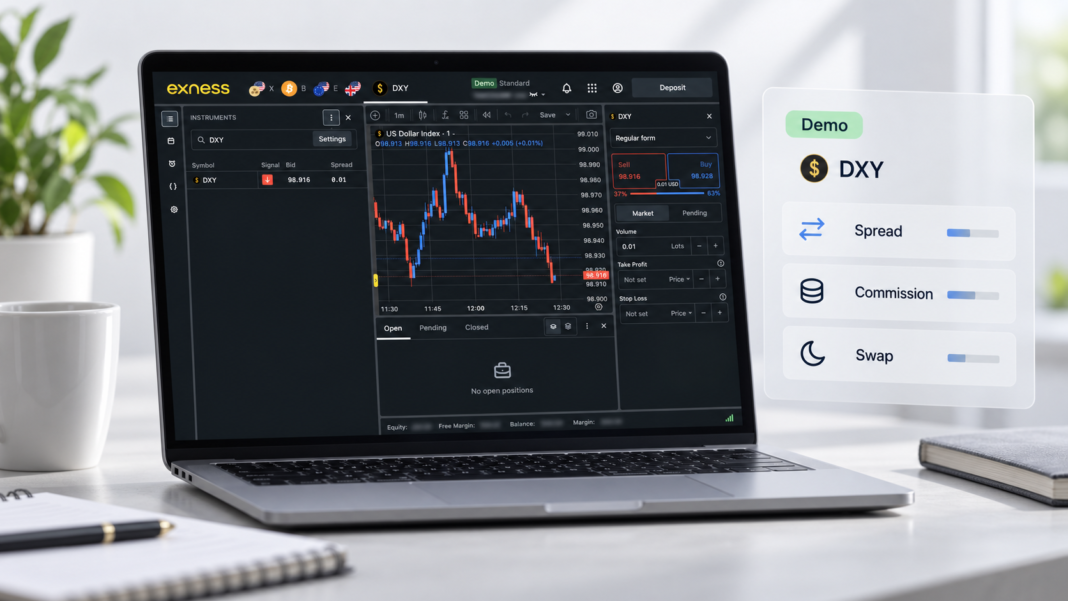

An Exness demo account allows traders to observe DXY prices, spreads and simulated position costs without using real funds. It can be useful for learning where costs appear, seeing how they change during different trading sessions and testing whether a strategy remains viable after those costs are considered.
Demo conditions are similar to real-account conditions, but they are not identical. A demo result should therefore be treated as a practical estimate rather than a guarantee of future live execution.²
What a demo account can show
The most visible DXY trading cost is the spread: the difference between the current bid and ask prices.
A demo account can also help traders examine:
- how the spread changes during the day;
- the opening cost shown in a simulated position;
- commission on applicable account types;
- overnight swap entries;
- the margin required for a selected volume;
- how costs change when position size increases;
- the possible effect of slippage on simulated execution.
Margin is not a fee. It is the amount reserved to maintain a leveraged position. However, it should still be monitored because increasing the DXY volume raises both the required margin and the monetary effect of price movements.
Creating a comparable demo account

Exness offers demo versions of Standard, Pro, Raw Spread and Zero accounts. Standard Cent is the exception.
To create one:
- Sign in to the Exness Personal Area.
- Open My Accounts.
- Select Open Account.
- Choose the required account type.
- Select Demo.
- Set the account currency, leverage and virtual balance.
- Create the account and open Exness Terminal.
The account type should reflect the conditions a trader wants to examine. Testing DXY on a Standard demo account will not show the same pricing structure as testing it on Pro, Raw Spread or Zero.
According to the Exness account comparison, Standard and Pro use a spread-based pricing structure without a separate trading commission. Raw Spread and Zero accounts can combine narrower spreads with a commission charged per lot and side.
Displaying the live DXY spread
Open Exness Terminal from the selected MT5 demo account and locate DXY in the Instruments panel.
To make the spread visible:
- Enter DXY in the instrument search bar.
- Open the three-dot settings menu.
- Enable the Spread column.
- Select DXY to open its chart and order form.
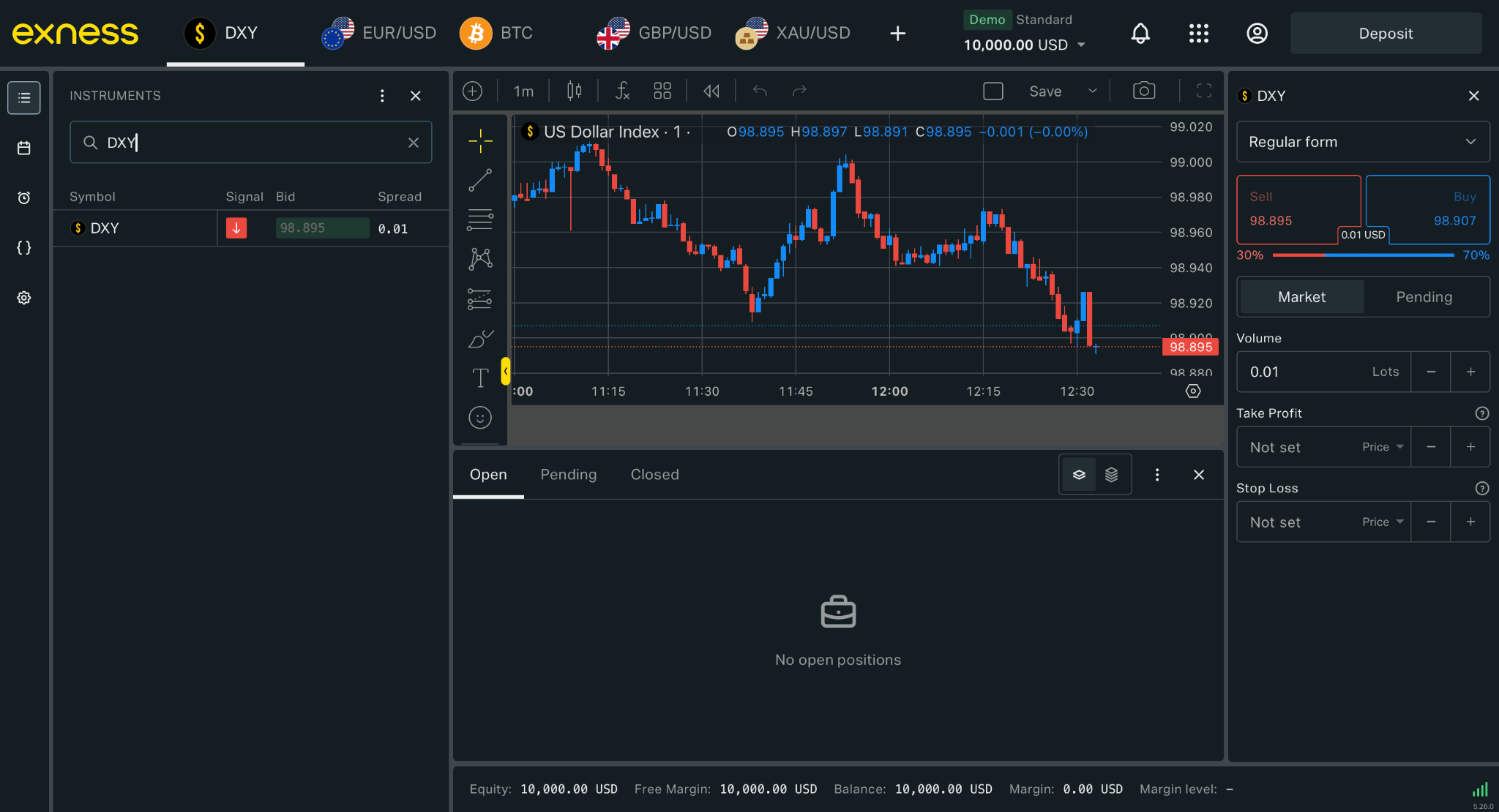
The DXY spread displayed in Exness Terminal using a demo account. The quote is temporary and changes with market conditions.
The bid and ask prices continue updating as the market moves. The value in the Spread column represents the current difference between them rather than a fixed charge.
The official Exness spread guide notes that spreads can change because of volatility, economic releases, unexpected events and market-opening or closing conditions.
Separate the main cost components
The costs visible in a demo environment should be recorded separately.
| Component | What to monitor | Where it appears |
| Spread | Difference between DXY bid and ask | Instruments panel and order ticket |
| Commission | Charge based on account type and volume | Order details and history |
| Swap | Charge or credit for holding a position overnight | Position or closed-order history |
| Slippage | Difference between requested and executed price | Order history |
| Margin | Funds reserved to maintain the position | Order form and account information |
Combining these figures into one number can hide the reason a trade became more or less expensive.
For example, a Raw Spread or Zero demo may display a very narrow spread while also recording a separate commission. A Pro demo may have a wider visible spread but no separate commission. The correct comparison is the estimated total cost for the same instrument, position size and holding period.
Watch the spread at different times
One observation is not enough to describe typical DXY pricing. A more useful demo test records the spread repeatedly under different conditions.
A simple log can include:
| Time | Market condition | Bid | Ask | Spread |
| European morning | Regular trading | |||
| US market open | Higher activity | |||
| Before a US release | Pre-event pricing | |||
| Immediately after the release | Higher volatility | |||
| Quieter session | Lower activity |
DXY can react sharply to US inflation, employment and Federal Reserve announcements. Watching a demo account before and after these events helps show whether the spread remains close to its normal range or widens temporarily.
The position does not need to be opened to collect most of this information. Bid, ask and spread values can be recorded directly from the terminal.
Use the same volume in every test
Position size changes the monetary cost of a spread and any volume-based commission. For a fair comparison, every demo test should use the same DXY volume.
A trader could repeat the exercise using:
- the same lot size;
- the same account currency;
- the same account type;
- the same approximate time of day;
- the same holding period.
Changing several variables at once makes it difficult to identify why the displayed cost changed.
The Exness trading calculator can provide indicative figures for margin, spread cost, commission, swap and pip value. Its spread calculation uses the previous trading day’s average, while the terminal shows current pricing. The calculator and demo terminal should therefore be used for different purposes: one for planning and the other for observing current conditions.
Compare account types without real funds
A demo account makes it possible to compare DXY pricing structures without funding several live accounts.
The process is straightforward:
- Create demo accounts for the relevant account types.
- Give each account the same currency and leverage where possible.
- Open DXY at approximately the same time.
- Set the same position volume.
- Record the spread and any applicable commission.
- Hold comparable simulated positions if swap is being tested.
- Compare the resulting costs rather than the spread alone.
This is particularly useful when evaluating Pro against commission-based alternatives. A low displayed spread does not automatically produce the lowest total cost if a commission is added separately.
Put Exness’s published spread comparison in context
Exness reports that its Pro account recorded an average DXY spread 83% below the industry average during the week of 29 March to 4 April 2026.¹ The comparison covered the tightest spread-only accounts available from ten brokers.
A demo account cannot reproduce that historical comparison because it observes a different period and only Exness pricing. It can, however, help a trader understand what the published claim means in practice by recording how the Pro demo spread behaves across ordinary sessions and volatile events.
The current average, account-specific conditions and indicative costs are available on the Exness DXY page. Historical findings should still be separated from the spread displayed at the moment a new order is prepared.
What demo testing cannot confirm
A demo account is useful for learning and observation, but it cannot establish exactly what would happen with a real order.
Differences can arise from:
- live liquidity and execution conditions;
- connection latency;
- slippage during rapid price movements;
- account-specific circumstances;
- currency conversion;
- changes in spread between observation and execution;
- differences between simulated and real trading behaviour.
Demo trading also removes the financial pressure associated with risking real funds. This can influence position sizing, order frequency and willingness to hold a losing position.
Exness describes demo market conditions as similar to real conditions—not identical—in its real and demo account guide.
A useful DXY demo routine
A structured demo test can run for several sessions rather than a few minutes.
Record the DXY spread at fixed intervals, repeat the observations around one scheduled US release and compare the results across two account types. If simulated positions are opened, use a consistent volume and record spread, commission, swap and execution price separately.
This produces a clearer view of how trading costs behave. It also prevents a single unusually narrow or wide spread from being treated as representative of every market condition.
A demo account cannot remove the uncertainty of live trading, but it can make the cost structure easier to understand before real funds are involved.
¹ Spread comparison: Exness Pro Account had the lowest average DXY spreads among ten brokers during the week of 29 March–4 April 2026, comparing the tightest spread-only accounts available across the brokers. The reported result was 83% below the industry average for that comparison period. Historical results do not guarantee spreads available in other periods.
² Demo limitation: Demo accounts use virtual funds and offer conditions similar to real accounts. They may not reproduce every aspect of live liquidity, latency, slippage or execution.
³ Calculation notice: Trading-calculator results are indicative. Estimated spread cost is based on the previous trading day’s average; actual conditions vary and can only be determined at execution.
⁴ Risk notice: CFDs are complex leveraged products without capital protection or guaranteed returns. Leverage magnifies both profits and losses. Traders should understand the product and trade only with funds they can afford to lose. See the Exness South Africa Risk Disclosure and Warning Notice.
